
Technology is an essential part of modern life. From smartphones to laptops, tablets, and smart home devices, people rely on technology daily for communication, work, learning, and entertainment. While devices are designed to be user-friendly, small habits and simple strategies can make using them easier, faster, and more efficient.
Understanding basic techniques can help prevent frustration, save time, and improve the overall digital experience. This guide provides practical, basic tech tips for everyday use that anyone can apply to get the most out of their devices.
Keep Your Devices Organized
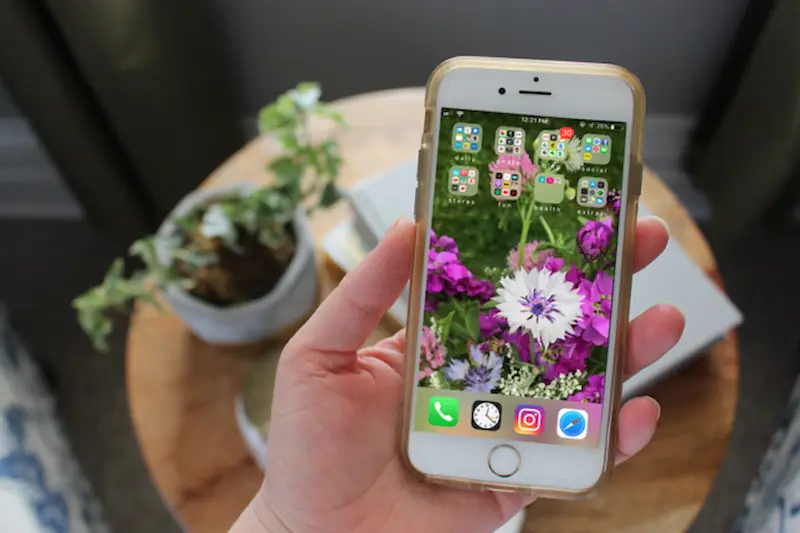
A cluttered device can slow you down and make it difficult to find files or applications when needed. Organizing your devices helps improve efficiency and reduce stress.
- Organize apps into folders: Group similar applications together for easy access.
- Label files clearly: Give documents and photos descriptive names to quickly locate them.
- Delete unused apps and files: Remove items you no longer need to free up storage.
Regularly reviewing your device’s content ensures it remains tidy and easier to navigate.
Restart Devices Regularly
Many users leave their devices running for days or weeks without restarting. Over time, temporary files and background processes accumulate, which can reduce speed and performance.
Restarting devices:
- Clears temporary memory
- Stops unnecessary background processes
- Helps applications run more smoothly
A simple restart can fix minor glitches and is one of the easiest basic tech tips for everyday use to maintain device efficiency.
Update Software and Applications
Software updates are essential for keeping devices secure, efficient, and compatible with new features. Updates often include:
- Bug fixes
- Performance improvements
- Security patches
Regularly checking for system and application updates ensures your devices run smoothly and prevents slowdowns caused by outdated software.
You may also like it:
Best AI Tools for Beginners 2026 | Easy & Free Guide
Best Budget Smartphones Review 2026 | Top Picks Guide
How to Fix Common Tech Issues | Simple Troubleshooting
Best Tech Offers Today 2026 – Deals on Gadgets & Electronics
Free Up Storage Space
Storage limitations are a common cause of slow performance. When your device is nearly full, it may struggle to manage tasks efficiently.
Tips to free storage:
- Delete old or unnecessary files
- Remove duplicate photos or videos
- Clear temporary files and downloads
- Move large files to external storage
Maintaining sufficient free space ensures devices can run applications and process tasks without delays.
Manage Background Applications
Many apps continue running in the background even when you are not using them. While multitasking is helpful, too many background apps can consume memory and processing power.
To manage background applications:
- Close apps that are not in use
- Monitor apps that consume high resources
- Restrict background data for unnecessary apps
This simple habit improves device speed and responsiveness and is a key basic tech tip for everyday use.
Protect Your Devices from Malware
Security issues can not only compromise personal information but also reduce performance. Devices can slow down if infected by malware or unnecessary software.
Steps to maintain device security:
- Avoid downloading unknown files or applications
- Check app permissions regularly
- Use built-in security features like device scanners
Safe digital habits protect your data and ensure your device operates efficiently.
Clear Temporary Data and Cache
Temporary files and cached data help applications load faster but can accumulate and cause performance issues over time.
Clearing cache:
- Frees up storage space
- Resolves minor glitches in apps
- Improves overall device responsiveness
Regularly removing unnecessary files ensures your device continues to run efficiently.
Reduce Animations and Visual Effects
Modern devices often include animations and effects to make the interface visually appealing. However, these features require processing power and can slow down older devices.
Reducing animations and unnecessary effects can:
- Improve responsiveness
- Make apps open faster
- Conserve battery on mobile devices
This adjustment is a helpful basic tech tip for everyday use to maintain smoother performance.
Organize Your Photos and Media
Photos and videos can take up significant storage space, especially on smartphones. Over time, large collections can slow performance and make files difficult to find.
Practical tips for media management:
- Delete duplicates or blurry images
- Create folders for different events or categories
- Back up older files to external storage or cloud services
Organized media allows quick access and keeps storage under control.
Manage Notifications
Notifications are helpful, but too many can be distracting and reduce productivity. Managing notifications helps you stay focused and reduces unnecessary interruptions.
- Disable non-essential notifications
- Customize alerts for important apps
- Set “Do Not Disturb” during work or study periods
Controlling notifications is a simple habit that improves focus and efficiency when using devices daily.
Maintain Battery Health
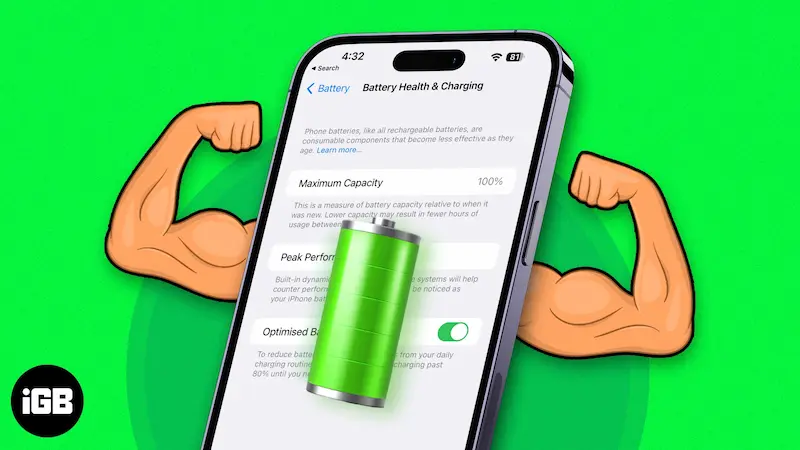
Battery performance affects overall device efficiency. Poor battery management can cause devices to slow down or unexpectedly shut off.
Tips to maintain battery health:
- Avoid extreme temperatures
- Charge devices properly without overcharging
- Adjust power settings for optimal performance
Good battery habits help ensure your device remains reliable throughout the day.
Learn Keyboard and Navigation Shortcuts
Shortcuts save time and make device navigation easier. Even learning a few simple commands can reduce repetitive tasks.
Examples:
- Copy, paste, undo, and redo commands
- Switching between applications quickly
- Using search shortcuts to find files faster
Shortcuts are easy to learn and are part of effective basic tech tips for everyday use that make digital tasks faster and more convenient.
Regular Device Maintenance
Just like any tool, devices benefit from consistent care. A small routine can prevent minor issues from becoming major problems.
Device maintenance tips:
- Restart periodically
- Keep software updated
- Organize files and applications
- Monitor storage and clear cache
Consistent maintenance ensures your device remains responsive and extends its lifespan.
Build Confidence in Using Technology
Many users feel hesitant exploring device settings or trying new features due to fear of mistakes. Most performance or operational issues are temporary and easy to fix.
Experimenting with settings, learning shortcuts, and practicing maintenance routines builds confidence. Over time, users can manage their devices more effectively and feel empowered to use technology for work, learning, and entertainment.
Frequently Asked Questions (FAQs)
1. How often should I restart my device?
Restarting every few days or at least once a week helps refresh memory and close unnecessary background processes.
2. Does clearing cache improve performance?
Yes. Removing temporary data frees storage and resolves minor app glitches, improving responsiveness.
3. How can I manage background applications efficiently?
Close unused apps, monitor resource-heavy apps, and restrict background data for non-essential applications.
4. How do I protect my device from malware?
Avoid untrusted downloads, review app permissions, and use built-in security features to keep your device safe.
5. Why is organizing files and apps important?
Organized devices allow quicker access to files, prevent clutter, and improve overall performance.